


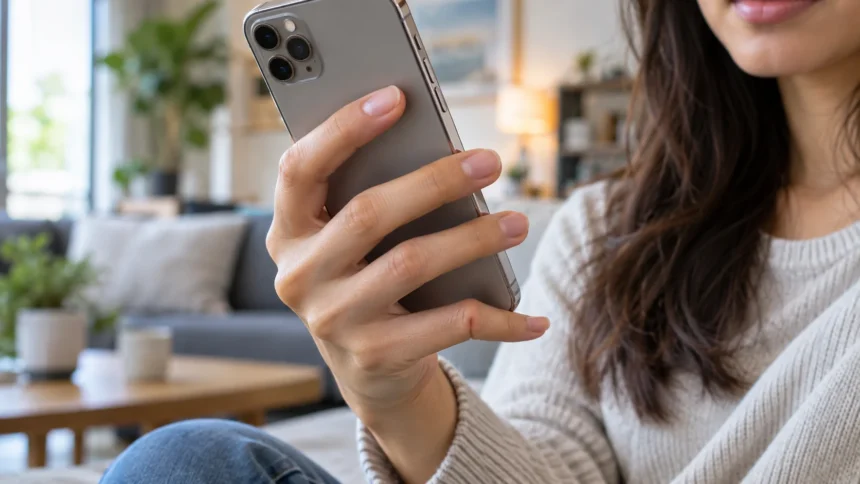
Smartphones have become part of everyday life, but spending hours holding a device can place unusual pressure on the hands and fingers. One term that frequently appears online is “smartphone pinky,” describing a dent, bend, or uncomfortable feeling in the little finger that people associate with supporting their phone. The term can sound alarming, especially when someone suddenly notices a difference between their two hands.
Smartphone pinky is not generally used as a formal medical diagnosis. Instead, it is an informal description of changes or discomfort noticed around the little finger after prolonged smartphone use. In many cases, the appearance may reflect normal finger anatomy, temporary pressure marks, or irritation caused by repeatedly resting the weight of a device on the same area.
That does not mean hand discomfort should always be ignored. Long periods of gripping, scrolling, texting, and supporting a phone can contribute to hand fatigue and aggravate existing problems. Understanding what smartphone pinky means, why symptoms happen, and when professional evaluation may be appropriate can help you use your devices more comfortably.
What Does Smartphone Pinky Mean?
Smartphone pinky usually refers to a noticeable indentation, curve, or tender spot on the little finger where the bottom edge of a smartphone rests. Many people naturally support their phone with their pinky while the other fingers hold the back of the device. Repeating this position for long periods can create temporary pressure in the same location.
People may first notice the issue after comparing the pinky on their dominant phone-holding hand with the opposite hand. One finger may appear slightly flatter, more curved, or marked near the middle joint. However, human fingers are naturally uneven, and differences between the hands do not automatically mean that smartphone use has permanently changed the bone.
The phrase became popular largely because smartphone users began sharing photos of finger indentations online. It describes an observation rather than a clearly defined disease with specific diagnostic criteria. If the finger moves normally and there is no significant pain, swelling, numbness, or weakness, the appearance alone may not indicate a serious problem.
Is Smartphone Pinky a Real Medical Condition?
Smartphone pinky is not typically recognized as a specific medical diagnosis in the way conditions such as arthritis, trigger finger, or carpal tunnel syndrome are. The term is mainly used to describe perceived finger changes linked with holding a phone. Therefore, someone noticing a dent should avoid assuming that they have developed a new orthopedic condition.
Although smartphone pinky itself is an informal term, repetitive device use can still affect comfort in the hands, wrists, thumbs, and fingers. Holding a phone in one position for long periods can cause muscle fatigue, pressure sensitivity, or stiffness. Repetitive scrolling and typing may also aggravate tendons or joints that are already irritated.
The important distinction is between temporary pressure-related symptoms and a true hand disorder. Persistent pain, visible swelling, reduced movement, numbness, or worsening finger deformity deserves more attention than a painless indentation. A healthcare professional can assess whether symptoms are related to device habits or another underlying condition requiring treatment.
Common Signs Associated With Smartphone Pinky
The most commonly reported sign is a small indentation on the side of the little finger where the phone normally rests. Some people also notice temporary redness or tenderness after holding a large or heavy smartphone for an extended period. These changes may become more noticeable after long scrolling, gaming, reading, or video-watching sessions.
Hand fatigue can occur alongside the visible indentation. Your pinky may feel tired, stiff, or uncomfortable because it is supporting part of the device’s weight while the other fingers remain in a gripping position. The discomfort may improve after putting the phone down, gently moving the fingers, or changing how the device is held.
Symptoms such as persistent numbness, tingling, sharp pain, significant swelling, or difficulty moving the finger are less typical of simple pressure from phone use. These signs could indicate another hand, wrist, tendon, joint, or nerve problem. They should not automatically be labeled smartphone pinky simply because you frequently use a mobile device.
Why Holding a Smartphone Can Strain Your Pinky
Modern smartphones can be relatively large compared with the size of the hand. When a phone is supported from underneath by the pinky, much of its lower weight may repeatedly press against a small area of the finger. Holding that position for long periods can make the skin, soft tissue, and surrounding structures feel uncomfortable.
The problem can become more noticeable when users hold their phones with one hand. The little finger supports the bottom while the thumb repeatedly stretches across the screen and the remaining fingers stabilize the device. This creates a sustained grip that may tire several parts of the hand rather than affecting only the pinky.
Phone habits can also contribute to strain beyond the hand itself. Looking downward for long periods may encourage rounded shoulders and upper-back stiffness while the hands remain fixed around the device. If phone use is also making your upper back feel tight, gentle thoracic mobility exercises may support more comfortable movement and posture.
Can Smartphone Pinky Permanently Bend Your Finger?
A temporary indentation caused by holding a smartphone does not necessarily mean the finger bone has permanently changed shape. Pressure from the phone may leave a visible mark, just as other objects can temporarily leave impressions on the skin. Normal anatomical differences can also make one pinky look slightly more curved than the other.
Permanent structural changes generally require more than simply noticing a shallow dent after using a phone. Bones, joints, tendons, and ligaments can certainly develop medical problems, but these conditions should be assessed individually rather than attributed automatically to smartphones. A finger that has looked curved for years may simply reflect normal anatomy.
If the finger appears to be progressively changing shape, cannot straighten properly, or becomes increasingly painful, professional evaluation is sensible. Conditions involving arthritis, previous injury, tendon problems, or connective tissue changes can affect finger alignment. Identifying the actual cause is more useful than relying on the informal smartphone pinky label.
Other Causes of Pinky Pain or Finger Changes
Not every painful or curved pinky is connected to smartphone use. Minor injuries, sports activities, repetitive work, arthritis, tendon irritation, joint problems, and previous fractures can all affect the little finger. Someone may first notice these symptoms while holding a phone even though the device itself is not the primary cause.
Nerve irritation can also produce symptoms in the little finger, particularly numbness or tingling. The ulnar nerve supplies sensation to part of the hand, including the little finger, and irritation can occur at different locations along its path. Long periods with the elbow bent or resting against a hard surface may sometimes worsen these sensations.
Swelling, warmth, severe tenderness, sudden deformity, or difficulty moving the finger may suggest an injury or another condition requiring assessment. Persistent symptoms deserve attention even if they initially appeared during smartphone use. A proper examination can help determine whether the problem involves joints, nerves, tendons, soft tissues, or another structure.
How to Reduce Smartphone Pinky Strain
One of the simplest changes is to stop supporting the entire phone on your little finger for extended periods. Try holding the device with both hands, switching hands regularly, or placing the phone on a stable surface when watching longer videos. Changing positions distributes pressure more evenly and gives fatigued fingers opportunities to rest.
Phone accessories can also make devices easier to hold. A grip attachment, ring holder, stand, or supportive case may reduce the need to balance the phone against your pinky. The goal is not necessarily to avoid smartphones but to reduce prolonged pressure and repetitive positions that make your hand feel tired or uncomfortable.
Regular breaks are especially helpful during extended browsing, gaming, messaging, or social media sessions. Put the phone down periodically and allow your fingers, wrists, shoulders, and neck to relax. Even small changes in daily habits can reduce accumulated strain when they are repeated consistently throughout the day.
Gentle Hand Movements That May Improve Comfort
Simple finger movements can help relieve the stiff feeling that sometimes follows prolonged phone use. Slowly open the hand, spread the fingers comfortably, and then relax them without forcing the joints. You can also gently make a loose fist before opening the hand again to encourage normal movement through the fingers.
The wrists can become tired when the hand remains fixed around a device, so gentle wrist movement may also feel helpful. Slowly move the wrist through a comfortable range rather than making forceful stretches. Exercises should feel easy and should never create sharp pain, increased numbness, or worsening symptoms afterward.
Stretching should not be treated as a cure for an unexplained finger deformity or persistent hand condition. If movement is painful or a finger seems physically restricted, forcing it straight could create additional irritation. In those situations, obtaining appropriate medical guidance is safer than repeatedly stretching a structure that has not been properly assessed.
Better Smartphone Habits for Hand and Posture Health
Alternating between one-handed and two-handed phone use can reduce repeated stress on the same fingers. Voice typing may also decrease constant thumb movement when writing long messages. For lengthy reading sessions, using a phone stand can prevent the little finger from supporting the device continuously while also encouraging a more relaxed hand position.
Screen position matters because smartphone habits involve more than the fingers. Holding the device slightly higher can reduce the amount of time spent looking sharply downward, while supporting your arms can decrease shoulder fatigue. Comfortable device use should involve the hands, wrists, elbows, shoulders, neck, and upper back rather than focusing only on one finger.
Pay attention to early signs that your body needs a change of position. Hand fatigue, thumb soreness, neck stiffness, wrist discomfort, and pinky tenderness are signals to adjust how you are using the device. Shorter sessions and greater variety in posture are generally more practical than attempting to maintain one supposedly perfect position all day.
When Should You See a Healthcare Professional?
Consider professional evaluation when pinky pain lasts despite reducing phone use and changing your grip. Persistent discomfort may have another explanation that requires a closer examination. A clinician can assess finger movement, joint stability, sensation, tenderness, previous injuries, and other factors to determine whether additional investigation or treatment is needed.
Numbness or tingling involving the little finger also deserves attention when it occurs repeatedly or becomes progressively worse. These sensations may involve nerve irritation rather than simple pressure from holding a smartphone. Weakness, dropping objects, difficulty gripping, or changes in hand coordination are additional reasons to seek appropriate medical advice.
Sudden deformity, significant swelling, severe pain, discoloration, or an inability to move the finger normally should not be dismissed as smartphone pinky. These symptoms can occur after injuries or with other hand conditions. Prompt assessment is especially important when symptoms begin suddenly after trauma or are becoming noticeably worse.
Conclusion
Smartphone pinky is an informal term used to describe an indentation, curved appearance, or discomfort in the little finger associated with holding a phone. The term itself does not represent a clearly defined medical diagnosis. Temporary pressure and normal anatomical differences can explain many of the changes people notice when comparing their fingers.
Prolonged smartphone use can still contribute to hand fatigue and discomfort, particularly when the same finger supports the device for hours. Changing grips, using both hands, adding a phone stand or grip accessory, and taking regular breaks can reduce repetitive pressure. Gentle hand movement may also help relieve temporary stiffness after extended device use.
Persistent pain, numbness, swelling, weakness, restricted movement, or progressive finger changes should be evaluated rather than automatically attributed to a smartphone. Several hand, nerve, tendon, and joint conditions can produce similar symptoms. Paying attention to your symptoms and adjusting your device habits can help protect comfortable hand function over time.
FAQs
What exactly is smartphone pinky?
Smartphone pinky is an informal term describing a dent, curve, or discomfort in the little finger where a phone commonly rests. It is not generally considered a specific medical diagnosis.
Does smartphone pinky go away?
Temporary pressure marks or mild discomfort may improve after changing how you hold your phone and giving your hand a break. Persistent deformity, pain, or movement problems should be professionally evaluated.
Can holding a phone damage your pinky?
Prolonged pressure may cause temporary tenderness, fatigue, or skin indentation. Serious or permanent damage should not automatically be assumed, but persistent symptoms may indicate another hand or nerve condition.
How can I prevent smartphone pinky?
Avoid supporting your phone continuously with one little finger. Use both hands, switch positions regularly, consider a grip or stand, and take frequent breaks during long periods of smartphone use.
Should I worry if my pinky looks bent?
A slightly curved pinky can be part of normal anatomy. However, a finger that is becoming progressively bent, painful, swollen, numb, or difficult to move should be assessed by a healthcare professional.