


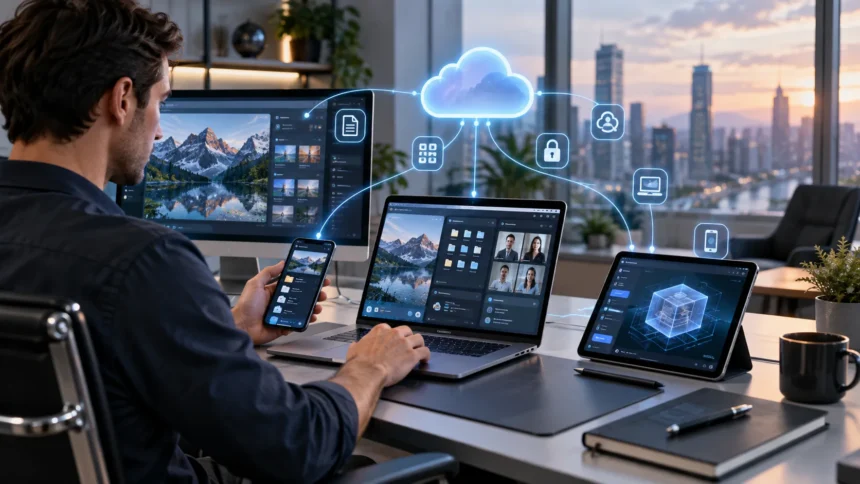
What Does EUC Mean? End-User Computing Explained
EUC stands for End-User Computing, a broad term describing technologies, applications, devices, and systems that allow employees or other end users to perform computing tasks without depending on IT specialists for every action. EUC can include everyday tools such as laptops, desktop applications, spreadsheets, virtual desktops, mobile devices, cloud software, low-code platforms, and collaboration tools. In some organizations, the term specifically refers to applications or workflows created directly by business users rather than professional software developers. The goal is to give people closer control over the technology they need to do their jobs. When managed properly, end-user computing can improve productivity, flexibility, and the speed at which organizations respond to changing business requirements.
Modern EUC environments have expanded far beyond traditional office PCs because employees now work across cloud applications, remote desktops, smartphones, virtual workspaces, automation tools, and AI-enabled software. Finance teams may build spreadsheet models, marketing teams may create dashboards, operations employees may automate approvals, and analysts may develop lightweight applications without writing traditional software from scratch. This flexibility creates enormous value but can also introduce security, compliance, data quality, and governance risks when important tools operate without proper oversight. Organizations therefore need to balance user independence with IT controls. Understanding EUC helps businesses decide which technologies users can manage themselves and where stronger technical governance is necessary.
What Is EUC in Simple Terms?
End-User Computing refers to the technology that ordinary users interact with directly to complete work rather than the underlying infrastructure managed entirely by technical teams. An end user may be an accountant working in a spreadsheet, a salesperson updating a CRM, a designer using creative software, or a customer service agent accessing a virtual desktop. In each example, technology is being used directly to perform a business task. EUC therefore focuses on the computing experience closest to the person doing the work. Servers, databases, networking equipment, and backend platforms may support that experience, but the end user typically does not need to manage those underlying systems personally.
The meaning of EUC can become more specific depending on the organization. Some IT teams use End-User Computing as an umbrella term covering employee laptops, desktops, operating systems, applications, device management, virtual desktop infrastructure, and workplace technology. Other organizations use EUC mainly to describe user-created tools such as spreadsheets, macros, databases, scripts, and low-code applications. Both definitions are valid because they focus on technology used directly by business users. The difference is mainly one of scope. When discussing EUC inside a company, it is therefore helpful to define whether the term means the entire employee computing environment or specifically applications developed outside traditional IT teams.
A basic example of EUC is an accountant creating a spreadsheet that automatically calculates monthly financial forecasts. The accountant understands the financial logic and can build formulas without asking the software development team to create a custom application. As business conditions change, the accountant can update assumptions, formulas, and reports quickly. This flexibility is one of the main advantages of End-User Computing because people closest to a business problem can create solutions themselves. However, if the spreadsheet becomes essential for financial reporting, mistakes in formulas or uncontrolled changes can create significant risk. EUC therefore becomes more important as user-created tools become more critical to business operations.
Another example is a manager using a low-code platform to build an approval workflow. Instead of waiting months for a development project, the manager can create a form, define approval rules, and connect the workflow with existing business data. The application may solve a specific departmental need without requiring extensive programming expertise. This type of user-driven development has become increasingly common because modern platforms provide visual interfaces and reusable components. Employees can automate processes that previously relied on email or manual spreadsheets. The challenge is ensuring that these applications still follow company requirements for security, data access, maintenance, and regulatory compliance.
EUC is ultimately about reducing the distance between users and technology. Traditional computing environments often required technical specialists to create or modify nearly every digital solution. End-User Computing gives employees more direct control over how they analyze information, automate tasks, and organize workflows. This can make businesses more responsive because small improvements do not always need to become formal software projects. At the same time, increased freedom means users can accidentally create unreliable or insecure tools. Successful EUC programs therefore do not simply allow unrestricted technology use. They provide users with flexible tools while establishing enough governance to protect important data and business processes.
How Does End-User Computing Work?
End-User Computing begins with a user accessing technology designed to help complete a particular task. The technology may be installed directly on a laptop, delivered through a browser, accessed through a virtual desktop, or provided through a cloud application. Authentication systems confirm who the user is, while permissions determine which information and features they can access. The employee then interacts with software through familiar interfaces rather than managing the infrastructure underneath it. An accounting application, for example, may rely on databases and cloud servers, but the accountant works primarily with reports, forms, and calculations. EUC hides much of the technical complexity while keeping useful business functions accessible.
Some EUC environments give users only the ability to consume applications, while others allow them to create or customize their own solutions. Spreadsheet software is a classic example because users can build formulas, financial models, dashboards, and automated macros without developing an entire software system. Modern low-code and no-code platforms extend this concept by letting employees create forms, applications, data connections, and workflow automations through visual tools. Business intelligence platforms may allow analysts to build their own reports from approved data sources. This user-driven customization is a major part of modern End-User Computing because it allows technology to adapt more quickly to individual departmental requirements.
Virtualization is another important component in many EUC environments. Instead of storing every application and file directly on an employee’s physical computer, an organization may provide a virtual desktop running on centralized or cloud infrastructure. The user connects remotely and sees a familiar desktop interface even though much of the computing happens elsewhere. Virtual Desktop Infrastructure, commonly called VDI, can simplify application delivery, centralize data, and support remote work. Desktop-as-a-Service solutions use a similar concept through cloud-based infrastructure. These technologies can make EUC more consistent across different locations and devices, particularly when organizations need greater control over employee computing environments.
Device management also supports End-User Computing by helping IT teams control laptops, smartphones, tablets, and other endpoints. Organizations may use management platforms to configure security settings, deploy approved applications, enforce encryption, install updates, and remove company data from lost devices. This allows employees to retain convenient access to tools while reducing the risks associated with unmanaged endpoints. Identity and access management systems provide another layer by connecting permissions to each user’s role. A salesperson and financial analyst may use the same laptop model but receive access to completely different applications and datasets. Modern EUC therefore combines user flexibility with centralized identity, device, application, and security controls.
The user experience sits at the center of the entire EUC model. Technology that is technically secure but extremely difficult to use may encourage employees to develop workarounds, store data in unauthorized locations, or adopt unapproved software. Conversely, providing easy access without sufficient controls can create compliance and security problems. Strong End-User Computing environments try to make approved tools easier to use than risky alternatives. IT teams monitor performance, security, access, and application reliability while business users focus on completing their work. This partnership allows users to benefit from autonomy without requiring them to become infrastructure specialists.
Common Examples of End-User Computing
Spreadsheets are among the oldest and most widespread examples of End-User Computing. Employees use them for budgeting, forecasting, inventory management, financial modeling, project tracking, reporting, and countless other business activities. A spreadsheet can begin as a simple list and gradually evolve into a complex application containing formulas, macros, data connections, and business logic. This flexibility makes spreadsheets extremely useful because users can build solutions quickly without formal software development. However, complex spreadsheets can become difficult to audit or maintain when important formulas are undocumented. Organizations often place additional controls around spreadsheets used for financial reporting or other critical business decisions.
Low-code and no-code applications are another major EUC example. These platforms allow business users to create applications through visual components, forms, workflow builders, connectors, and rules rather than traditional programming alone. A human resources employee might create an onboarding workflow, while an operations manager could build an equipment request application. Users can sometimes connect these applications with approved databases, cloud services, or collaboration platforms. Low-code tools make technology development available to people with strong business knowledge but limited coding experience. However, applications should still be governed because poorly designed workflows can expose data, duplicate existing systems, or become difficult to support when the original creator leaves.
Business intelligence and reporting tools also fit naturally within End-User Computing. Analysts and managers can create dashboards that display revenue, customer activity, operational performance, website traffic, inventory, or other business metrics. Instead of requesting a new report from IT every time a question changes, users can explore approved datasets themselves. Self-service analytics can improve decision-making because teams receive information more quickly. However, inconsistent formulas and definitions can produce conflicting versions of the same metric. One department might define an active customer differently from another. Effective EUC therefore requires shared data definitions and trusted sources so user-created dashboards remain reliable.
Desktop and cloud productivity applications represent another broad area of EUC. Email, word processing, presentation software, collaboration platforms, document storage, project management systems, and video conferencing tools all sit directly in front of employees. Users rely on these applications every day without needing to understand the servers, databases, APIs, and security services working behind them. Cloud-based software has made these applications easier to access from multiple devices and locations. Employees can move between office computers, home laptops, and mobile devices while continuing the same work. This flexibility has made End-User Computing increasingly important to remote and hybrid workplace strategies.
Virtual desktops and application streaming are also common End-User Computing technologies, particularly in organizations with strict security or centralized management requirements. A healthcare organization may provide employees with virtual desktops so sensitive information remains inside controlled infrastructure rather than being stored permanently on personal devices. A contractor might access only a particular business application without receiving broad access to the corporate network. Virtual environments can also provide standardized software configurations to employees working from different locations. These examples demonstrate that EUC does not always mean users create their own applications. It can also describe the entire controlled workspace through which end users access corporate technology.
EUC vs. Traditional IT: What Is the Difference?
Traditional IT development typically involves professional technology teams designing, building, testing, deploying, and maintaining systems for business users. A department identifies a requirement, IT analyzes the request, developers create a solution, and the application moves through formal quality and security processes. This approach is valuable for complex systems requiring strong reliability, scalability, integration, and governance. However, traditional development can take considerable time and resources, especially for small departmental requests. End-User Computing allows users to solve some of these smaller problems independently. Instead of submitting every requirement to IT, employees can use approved tools to create calculations, workflows, reports, and lightweight applications themselves.
The biggest difference is usually who controls the creation or configuration of the solution. In traditional development, IT professionals manage most of the technical design and implementation. In EUC, business users have much greater direct control because they understand the process they are trying to improve. A financial analyst may not know how to build an enterprise accounting platform, but they can create a spreadsheet model that answers a specific forecasting question. Similarly, a sales manager may build a dashboard without requesting a custom reporting application. EUC therefore shifts some technology creation closer to the business while leaving complex infrastructure and enterprise systems under professional IT management.
Speed is one of the reasons organizations adopt EUC. Business requirements can change rapidly, while formal software projects may require prioritization, budgets, testing, and long development cycles. User-controlled tools allow departments to experiment and adapt more quickly. An operations employee might automate a repetitive approval process within days instead of waiting for it to enter a development backlog. This speed can create substantial productivity gains, particularly for smaller workflows. However, rapid development should not be confused with risk-free development. A quickly built solution can still create major problems if it handles sensitive information or becomes essential to business operations without proper controls.
Traditional IT generally has stronger built-in processes for documentation, testing, backups, access control, and ongoing maintenance. End-user solutions can lack these practices because their creators are usually focused on solving immediate business problems rather than managing software throughout its lifecycle. A spreadsheet may work perfectly for its creator but become impossible for colleagues to understand after that employee leaves. A low-code application may depend on a personal account rather than an organizational service identity. These weaknesses explain why organizations need EUC governance. User-created systems should receive greater oversight as their business importance, complexity, and data sensitivity increase.
The strongest operating model is often a partnership rather than choosing entirely between EUC and traditional IT. Business users can create or customize solutions within approved platforms, while IT provides infrastructure, security controls, shared data, training, and technical support. More complex or high-risk applications can be transferred into formal development processes when necessary. This approach allows organizations to preserve EUC speed without abandoning professional engineering standards. Business teams gain autonomy for everyday problems, while IT focuses resources on architecture, enterprise platforms, cybersecurity, and critical systems. The distinction becomes less about who owns technology and more about applying the right level of control to each solution.
Benefits of End-User Computing for Businesses
One of the largest benefits of End-User Computing is improved productivity. Employees can create solutions that match the way they actually perform their jobs instead of adapting every process to a generic application. An analyst can automate calculations, a manager can design a dashboard, and an operations team can create a simple workflow without waiting for custom software. Small improvements across hundreds of employees can save substantial time. EUC also reduces repetitive manual work by allowing users to automate tasks that would otherwise involve copying data or sending repeated emails. Productivity gains are strongest when users receive training and access to approved tools designed for their specific business environment.
EUC can also make organizations more responsive to change. Markets, customer expectations, regulations, and internal processes can change faster than traditional development teams can address every request. Employees close to the business problem often recognize necessary adjustments first. Giving those people appropriate technology allows them to respond without waiting for long development cycles. A finance team can adjust forecasting models immediately when assumptions change, while an operations team can modify a workflow as processes evolve. This flexibility can be particularly valuable during periods of rapid business growth. End-User Computing becomes a practical way to experiment, test ideas, and refine processes before larger investments are made.
Another benefit is reduced pressure on centralized IT teams. Technology departments typically manage cybersecurity, infrastructure, enterprise applications, integration, support, data platforms, and many competing development requests. If every departmental spreadsheet, workflow, or report requires a formal IT project, small improvements can become stuck in long backlogs. EUC allows users to solve appropriate low-risk problems themselves while technical teams focus on higher-value or more complex initiatives. This does not eliminate the need for IT involvement because approved platforms still require governance. Instead, it distributes problem-solving more efficiently across the organization while keeping critical infrastructure under professional management.
End-User Computing can also improve innovation because employees can test ideas without committing to large development projects. A business analyst may create a prototype dashboard to determine whether a new metric provides useful insight. A customer service team might build a lightweight application to test a new workflow before requesting enterprise-scale development. Low-code tools make experimentation less expensive because prototypes can be created and changed quickly. Successful ideas may eventually become formal applications, while unsuccessful ideas can be abandoned without significant sunk cost. This creates a more iterative culture where technology supports experimentation rather than making every improvement dependent on a large project.
Employee satisfaction can also improve when workers have tools that reduce unnecessary friction. People often become frustrated when straightforward tasks require repetitive manual steps or when minor software changes take months to implement. EUC gives knowledgeable employees more ability to improve their own workflows. This sense of control can increase engagement because users are not simply passive recipients of technology. However, organizations should avoid turning every employee into an unpaid software administrator. End-User Computing should simplify work rather than adding responsibilities that users are not trained or compensated to manage. The best EUC programs provide empowerment while keeping support and technical accountability clearly defined.
Risks and Challenges of End-User Computing
Data accuracy is one of the biggest EUC risks because user-created tools can contain mistakes that are difficult to detect. A spreadsheet formula may reference the wrong cell, a manual input may be incorrect, or a dashboard may use outdated information. Small errors can become significant when the tool influences financial reports, pricing decisions, regulatory submissions, or strategic planning. Unlike enterprise applications, end-user solutions may not always receive formal testing before being used. Organizations should therefore identify which EUC applications are critical and subject them to additional review. Controls can include formula validation, peer checking, version management, automated testing, and reconciliation against trusted data sources.
Security represents another major challenge because users may unintentionally store sensitive information in unsuitable locations. A spreadsheet containing customer data could be saved to an unmanaged personal device or shared through an unauthorized cloud service. Low-code applications may provide broader data access than intended if permissions are poorly configured. User-created scripts could also contain credentials or confidential information. Cybersecurity teams need visibility into the tools and platforms employees use without making legitimate work unnecessarily difficult. Approved applications, identity controls, encryption, data loss prevention, and employee education can reduce exposure. Security works best when safe methods are convenient enough that users do not feel pressured to bypass them.
Operational dependency can become a serious problem when a simple user-created tool gradually becomes essential to the business. A spreadsheet initially built for one analyst might eventually support an entire department’s monthly reporting process. If nobody else understands the formulas or the creator leaves the organization, the process may suddenly become difficult to maintain. Similar problems occur when low-code applications depend on personal accounts or undocumented connections. Critical EUC solutions should therefore have clear ownership, documentation, backups, and succession planning. Organizations should know which applications would cause meaningful disruption if they stopped working. Business importance should determine the level of governance applied.
Compliance and regulatory requirements can also complicate EUC management. Industries such as financial services, healthcare, insurance, and government may need strict controls over data processing, retention, access, reporting, and auditability. User-created systems can bypass established processes if employees do not understand the applicable requirements. A spreadsheet used for a regulated calculation may need documented validation and change controls rather than being treated like an ordinary personal file. The exact requirements depend on industry and jurisdiction. Organizations should therefore classify EUC solutions according to the data and processes they support. High-risk applications should receive stronger compliance review than simple personal productivity tools.
Application sprawl is another challenge as employees gain access to more low-code tools, SaaS applications, spreadsheets, scripts, and automation platforms. Different departments may unknowingly build multiple solutions for the same problem, creating duplicate data and inconsistent processes. IT teams can lose visibility into which applications exist and who depends on them. This can increase licensing costs while making security and support more difficult. Maintaining a central inventory of important EUC assets helps organizations understand their technology landscape. Standardizing approved tools and reusable components can also reduce unnecessary duplication. EUC should increase flexibility without allowing the workplace technology environment to become impossible to govern.
EUC Governance, Security, and Best Practices
Effective EUC governance begins with identifying which end-user applications actually matter. Organizations do not need the same controls for a personal task list and a spreadsheet used to calculate official financial results. A risk-based approach classifies EUC solutions according to factors such as business impact, data sensitivity, complexity, number of users, and regulatory importance. Low-risk tools can remain flexible, while high-risk applications receive stronger review and monitoring. This prevents governance from becoming unnecessarily burdensome. Employees are more likely to follow policies when controls are proportional to actual risk rather than treating every spreadsheet as though it were a mission-critical enterprise system.
Maintaining an EUC inventory is another useful practice. Departments can record important spreadsheets, databases, low-code applications, scripts, automations, and reports that support recurring business processes. The inventory may include the owner, purpose, data sources, business criticality, backup location, and review date. This information helps organizations understand dependencies and identify applications that no longer have active owners. It also makes disaster recovery and employee transitions easier. An inventory should focus on meaningful business solutions rather than attempting to catalog every temporary document. The goal is visibility into important End-User Computing assets, not creating unnecessary administrative work.
Access control and data protection should be built into approved EUC platforms wherever possible. Employees should sign in through organizational identities rather than unmanaged personal accounts. Permissions should follow the principle of least privilege so users receive only the access required for their work. Sensitive information should be encrypted and stored in approved locations with suitable backup and retention policies. Multifactor authentication can strengthen protection for cloud applications and remote environments. Low-code platforms should restrict connectors or external sharing where inappropriate. Central technical controls reduce dependence on individual users remembering every security requirement manually.
Change management becomes increasingly important as an EUC application grows in business significance. Critical spreadsheets or applications should have controlled versions so users know which copy is authoritative. Major formula or logic changes may require peer review or approval before being used in production processes. Testing should confirm that expected outputs remain correct after modifications. Documentation can explain assumptions, data sources, formulas, workflow logic, and troubleshooting steps. The amount of documentation should match the application’s importance rather than becoming excessive. These practices make end-user solutions easier to maintain while reducing the risk that one accidental change affects important business decisions.
Training completes the EUC governance model because technology controls cannot anticipate every user decision. Employees should understand basic data security, access management, version control, backup practices, and the risks of storing sensitive information in unauthorized tools. People developing more complex low-code applications or automation workflows may need additional instruction in testing, documentation, and application design. IT teams can create templates and reusable components that help users build solutions correctly from the beginning. Communities of practice can also allow experienced business users to share knowledge. Strong governance is most successful when it enables responsible End-User Computing rather than simply restricting what employees are allowed to do.
The Future of End-User Computing
Artificial intelligence is expanding the capabilities of End-User Computing by making advanced technology easier for nontechnical users to operate. AI assistants can help employees summarize information, write formulas, analyze data, generate presentations, automate routine tasks, and interact with business systems through natural language. This reduces the technical knowledge required to create useful solutions. A finance employee may be able to describe a calculation in ordinary language and receive help building the appropriate formula. Low-code platforms are also incorporating AI-generated workflows and application components. These capabilities can increase productivity, but organizations still need verification because automatically generated outputs can contain errors or inappropriate assumptions.
Low-code and no-code development will likely remain an important part of modern EUC strategies. Business users increasingly expect to customize software rather than simply accept fixed workflows created by central IT. Visual development environments provide a middle ground between traditional software engineering and basic productivity tools. Organizations can allow departments to build applications while keeping authentication, data connections, security, and hosting within approved platforms. Professional developers may also work alongside citizen developers to improve more complex solutions. This collaborative approach can shorten development cycles while preserving stronger technical standards for applications that eventually become widely used.
Cloud-based desktops and applications are also changing how organizations think about employee devices. Instead of assuming that all business software must run directly on a specific corporate laptop, companies can deliver applications through browsers, virtual desktops, and cloud workspaces. Employees may access the same secure environment from multiple approved devices while data remains centrally managed. This approach can simplify remote work, contractor access, and temporary staffing. However, network reliability and cloud service availability become increasingly important when computing is centralized. The future EUC environment will likely combine local devices with cloud-based services rather than relying entirely on one model.
Endpoint security will become even more important as employees use a wider variety of laptops, tablets, smartphones, virtual desktops, SaaS platforms, and AI applications. Organizations need to know who is accessing information, from which device, and under what conditions. Identity-based security and zero-trust principles can provide more flexible protection than simply assuming users inside a corporate office are trustworthy. Device health, user identity, application permissions, and data sensitivity can all influence access decisions. This model fits modern EUC because work increasingly happens outside traditional network boundaries. Security needs to follow the user and information rather than depending entirely on physical office locations.
The future of End-User Computing is ultimately about giving people more powerful technology without losing control of business-critical information. Employees will continue gaining tools that allow them to analyze data, automate processes, build applications, and use AI with less technical training. This can dramatically increase organizational speed and creativity when appropriate governance exists. The main challenge will be separating low-risk user experimentation from high-risk applications that require stronger professional oversight. Businesses that establish this balance can benefit from both user autonomy and enterprise-level security. EUC will therefore remain an important bridge between everyday employees, emerging technology, and traditional IT management.
Frequently Asked Questions
What does EUC stand for?
EUC stands for End-User Computing. It refers to the technologies, devices, applications, and tools that allow employees or other users to perform computing tasks directly without requiring IT specialists for every activity.
What is an example of End-User Computing?
A common EUC example is a finance employee building a spreadsheet model to calculate forecasts and analyze business performance. Other examples include user-created dashboards, low-code applications, automated workflows, virtual desktops, and self-service analytics tools.
What is EUC in IT?
In IT, EUC can refer broadly to the technology environment used directly by employees, including laptops, applications, mobile devices, virtual desktops, cloud workspaces, and endpoint management. Some organizations use the term more specifically for applications and tools created or maintained by business users.
What is the difference between EUC and VDI?
EUC is a broad category covering technologies and applications used directly by end users, while VDI stands for Virtual Desktop Infrastructure and is one specific way of delivering desktop environments. VDI can therefore be part of an organization’s overall EUC strategy.
What are the main risks of End-User Computing?
Major EUC risks include inaccurate data, spreadsheet errors, insecure information sharing, uncontrolled application development, poor documentation, compliance problems, and dependence on tools understood by only one employee. Risk-based governance, security controls, inventories, testing, and training can help organizations reduce these problems.