


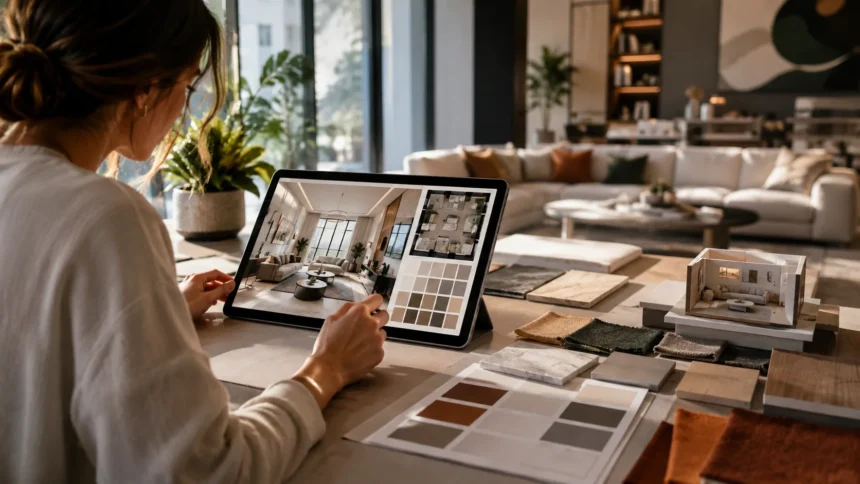
How to Use AI for Interior Design: A Practical Step-by-Step Guide
Interior design has traditionally required sketches, mood boards, measurements, samples, and plenty of imagination before you could understand what a finished room might look like. Artificial intelligence is changing that process by allowing homeowners and designers to visualize ideas quickly, compare alternatives, and experiment before committing money to furniture, paint, or renovation work.
If you are wondering how to use AI for interior design, the process can be surprisingly approachable. You can photograph an existing room, describe the style you want, generate design concepts, explore furniture layouts, experiment with colors, create mood boards, and refine individual elements until you have a clearer direction for your project.
AI does not mean pressing one button and receiving a perfect, construction-ready interior. Generated rooms can contain inaccurate proportions, impractical furniture placement, impossible architectural details, or products that do not actually exist. The technology works best as a visualization and ideation assistant rather than an unquestionable replacement for measurements and professional judgment.
Used thoughtfully, however, AI interior design tools can reduce uncertainty and make design decisions easier. Whether you are redecorating one bedroom, planning a living room makeover, preparing a renovation, staging a property, or working professionally with clients, AI can help you explore more possibilities before making expensive decisions.
What Is AI Interior Design?
AI interior design uses artificial intelligence to help generate, modify, analyze, or visualize interior spaces. Depending on the tool, you may start with a photograph, floor plan, sketch, reference image, or written description and receive suggested layouts, room styles, furniture ideas, color palettes, or realistic visualizations.
Generative AI is particularly useful during the early concept stage. Instead of trying to imagine what a beige living room would look like with dark wood furniture and warm lighting, you can describe that idea and generate several visual versions. This makes abstract design decisions much easier to understand.
Other AI-powered interior design software focuses more heavily on spatial planning. These tools may recognize walls, doors, windows, and room dimensions from a floor plan before allowing you to experiment with furniture placement in a digital environment. Some systems combine generative visualization with traditional 2D and 3D planning.
The important point is that different tools solve different problems. Some are excellent for inspiration, others for floor planning, and others for realistic room redesigns. Choosing the right tool depends on whether you need visual ideas, accurate layouts, shopping guidance, client presentations, or renovation planning.
How to Use AI for Interior Design Step by Step
Start by defining the room and the problem you want to solve. Instead of simply asking AI to “make my living room beautiful,” identify practical requirements such as more seating, better storage, warmer lighting, a reading corner, child-friendly furniture, or improved movement between doors and seating areas.
Next, gather useful information about the space. Take clear photographs from multiple angles and measure the room, including ceiling height, doors, windows, radiators, permanent cabinetry, electrical points, and major furniture you plan to keep. Accurate information gives you a stronger foundation for evaluating whatever AI generates.
Upload a room photo or create a digital floor plan in the AI interior design tool you choose. Select an appropriate design style and describe your preferences clearly. You might request a warm minimalist living room with oak furniture, off-white walls, layered lighting, hidden storage, and space for six people.
Generate several concepts rather than accepting the first result. Compare what you like in each image, identify practical problems, and refine the strongest idea. The most effective AI design workflow is iterative: generate, evaluate, modify, measure, and repeat until the concept becomes both attractive and realistic.
Start With a Clear Photo of Your Room
If you are using an AI room designer that accepts images, the quality of your starting photograph matters. Take the picture during good natural or balanced indoor lighting, keep the camera reasonably level, and capture as much of the room as possible without severe distortion from extreme wide-angle lenses.
Try to include important architectural features such as windows, doors, fireplaces, built-in cabinets, flooring, and ceiling details. AI needs visual context to understand the room. A photograph showing only one small section may encourage the system to invent the rest of the environment rather than preserve your actual space.
It can also help to remove temporary clutter before taking the image. You do not need to empty the room completely, but piles of clothing, boxes, or unrelated objects can make the space harder to interpret. Keep permanent furniture visible if you want the AI to incorporate or work around those pieces.
For important renovations, take multiple photographs rather than depending on one view. Generate ideas from different perspectives and compare them against your measurements. A convincing AI visualization should inspire your design, but a beautiful image should never replace accurate knowledge of the actual room.
Tell AI Exactly What You Want
Strong prompts can dramatically improve AI interior design results. Rather than entering broad instructions such as “modern bedroom,” describe the room’s purpose, preferred style, colors, materials, furniture requirements, atmosphere, lighting conditions, and any elements you specifically want to preserve or remove.
For example, you could request a small Scandinavian bedroom with warm white walls, light oak furniture, a queen bed, two compact bedside tables, concealed storage, linen curtains, soft natural light, and minimal decoration. This gives the AI much more direction than simply requesting “Scandinavian interior design.”
Constraints are just as important as aesthetic preferences. Tell the system if you cannot move a window, need to keep the existing flooring, have a limited budget, require wheelchair clearance, need child-friendly surfaces, or must retain particular furniture. Real interior design is shaped by limitations as much as inspiration.
Refine your prompt after every generation. If the room feels too cold, request warmer materials and softer lighting. If it looks overcrowded, ask for fewer furniture pieces and more negative space. AI becomes considerably more useful when you treat prompting as an ongoing design conversation rather than a one-time command.
Use AI to Explore Different Interior Design Styles
One of the easiest ways to use AI for interior design is style exploration. You can take the same room and visualize it as contemporary, Scandinavian, Japandi, industrial, farmhouse, transitional, coastal, traditional, minimalist, mid-century modern, or another aesthetic without physically changing anything.
This is particularly useful when you know a room feels wrong but cannot identify the style you actually prefer. Comparing several versions side by side can reveal patterns. You might realize that you consistently prefer warm woods, simple furniture forms, neutral colors, and textured fabrics regardless of the style label.
Avoid choosing a style solely because it is currently popular on social media. A visually dramatic trend may look impressive in a generated image but become tiring or impractical in everyday life. Consider how easily the design can be cleaned, maintained, updated, and adapted as your needs change.
Once you find a promising direction, combine elements rather than feeling trapped by a label. Your ideal space might use Scandinavian simplicity, traditional architectural details, and contemporary lighting. AI allows fast experimentation, making it easier to develop a personalized interior instead of copying one aesthetic exactly.
Use AI to Plan Furniture Layouts
Furniture placement has an enormous effect on whether a room actually works. AI-assisted room planning can help you explore alternative arrangements for sofas, beds, dining tables, desks, storage, and other large pieces before you start moving heavy furniture or ordering new items.
Begin with exact room dimensions whenever the software supports them. Include windows, doors, walkways, permanent fixtures, and furniture you already own. Once the basic shell is accurate, experiment with layouts that support the primary activity of the room rather than simply trying to fill every empty wall.
For a living room, consider conversation, television viewing, circulation, natural light, and access to other rooms. In a bedroom, prioritize comfortable movement around the bed, storage access, and privacy. In a home office, think about screen glare, electrical connections, ergonomics, and the background visible during video meetings.
Treat AI furniture placement as a suggestion rather than a final plan. Generative systems can create convincing images that ignore real dimensions or clearance requirements. Always verify furniture sizes and walking space yourself before purchasing anything, especially when designing small rooms where a few centimeters can matter.
Use AI to Test Paint Colors Before Painting
Choosing paint can be surprisingly difficult because a small color swatch rarely communicates how an entire room will feel. AI visualization can help you compare pale neutrals, deep dramatic shades, warm earth tones, muted greens, blues, or accent walls before purchasing several cans of paint.
Upload a clear photograph and request several versions where only the wall color changes. Keeping the furniture, flooring, and lighting reasonably consistent makes comparisons more useful. You can then judge how different colors relate to materials already present in the space.
Be careful when evaluating exact shades from an AI-generated image. Screens display colors differently, and generative models may change lighting, saturation, furniture, or surrounding surfaces while creating the visualization. The generated result should help narrow your direction rather than act as an exact paint specification.
Once you identify several promising colors, obtain physical samples and test them on the actual wall. View the samples during morning, afternoon, and evening because natural and artificial lighting can dramatically alter perception. AI speeds up the shortlist, while real-world sampling confirms the final decision.
Use AI to Create Interior Design Mood Boards
A mood board brings together colors, materials, furniture, textures, lighting, artwork, and inspiration so you can see whether different ideas belong in the same room. AI can make this process faster by generating visual directions from a written description or helping organize existing reference images.
Start with a clear emotional goal. Instead of focusing exclusively on labels such as “modern,” decide whether you want the room to feel calm, welcoming, dramatic, sophisticated, playful, luxurious, or relaxed. Emotional language can often produce a more coherent interior direction than style terminology alone.
Ask AI to suggest a palette and supporting materials. A warm contemporary scheme might combine creamy walls, natural oak, travertine, brushed metal, textured linen, and dark accents. Seeing these materials together can reveal whether the design has enough contrast and visual depth before you begin purchasing products.
Use the mood board as a filter during shopping. Whenever you consider a rug, chair, lamp, or piece of artwork, compare it against the agreed design direction. This prevents a common decorating mistake where individually attractive items are purchased without considering whether they work together as one interior.
Use AI to Choose a Color Palette
Color strongly influences the atmosphere of a room, but selecting a coordinated palette can become confusing when dozens of shades compete for attention. AI can help create color combinations based on your flooring, furniture, natural light, preferred style, or a photograph that inspires you.
A useful interior palette usually includes more than one color role. You might have a dominant neutral for walls, a secondary color for larger furniture, natural materials that add warmth, and smaller accent colors appearing through cushions, artwork, ceramics, or decorative objects.
You can also upload an existing room and ask AI which colors would complement features you cannot easily replace. If your floor contains warm honey-toned wood, for example, the suggested palette should respond to that undertone rather than imagining an entirely different flooring material.
Remember that generated palettes need real-world testing. Lighting orientation, bulb temperature, surrounding surfaces, and paint finish all affect how a color appears. Use AI to understand relationships between colors, but confirm important choices with real samples under the conditions found inside your home.
Use AI to Visualize Furniture Before Buying
Buying furniture online can be risky because product photographs rarely show how a piece will look inside your particular room. AI room visualization can help you approximate different furniture styles, shapes, materials, and colors before committing to a large purchase.
Suppose you are choosing between a cream sectional, brown leather sofa, and charcoal fabric sofa. Generate versions of the same room with each option while keeping the surrounding design as consistent as possible. The comparison can reveal which material creates the right contrast with your flooring and walls.
AI is also useful for deciding between furniture categories. You can visualize whether an awkward corner works better with an accent chair, console table, reading nook, plant, storage cabinet, or nothing at all. Sometimes the best AI-assisted decision is discovering that a space does not need additional furniture.
However, never purchase based only on the generated image. Check actual product measurements, upholstery samples, seat depth, delivery access, return policies, and customer photographs. AI can answer “What might this look like?” but it cannot reliably answer every question about comfort, durability, or physical fit.
Use AI for Small-Space Interior Design
AI can be especially useful when designing small bedrooms, studio apartments, compact kitchens, or narrow living rooms because these spaces demand careful planning. Ask for layouts that prioritize circulation, multifunctional furniture, vertical storage, and visual openness rather than simply adding smaller versions of conventional furniture.
Provide accurate dimensions before asking for recommendations. Tell the AI where doors swing, where windows begin, and how much storage you require. You can also request specific solutions such as a desk that doubles as a dressing table, a storage bed, wall-mounted shelving, or an expandable dining table.
Ask for several layouts built around different priorities. One version might maximize storage, another entertaining space, and another open floor area. Comparing these alternatives helps you understand the trade-offs inherent in a small room rather than pretending every requirement can be maximized simultaneously.
Be particularly skeptical of generated small-room images that appear unrealistically spacious. AI may distort room dimensions, reduce furniture scale, or create impossible clearances to produce an attractive composition. Measure every proposed piece before purchase and preserve comfortable circulation above all else.
Use AI to Plan a Room Makeover on a Budget
A good makeover does not necessarily require replacing everything. AI can help you identify which changes produce the greatest visual impact while preserving expensive items such as flooring, sofas, cabinetry, beds, or dining tables that remain functional.
Upload a photograph and explicitly tell the AI what must stay. Then ask for a lower-cost transformation using paint, curtains, lighting, rugs, cushions, artwork, rearranged furniture, plants, and a limited number of new pieces. This creates a more realistic brief than requesting an entirely new luxury interior.
Generate several versions at different spending levels. A minimal update might focus on rearrangement and accessories, while a medium-budget version could include paint and lighting. A larger makeover might replace one statement furniture piece while retaining the majority of the room.
Once you choose a direction, translate the visualization into a shopping plan. Divide purchases into essential, high-impact, and optional categories. AI can generate endless attractive additions, so maintaining a fixed budget and prioritized list prevents inspiration from turning into unnecessary spending.
Use AI for Kitchen and Bathroom Design Ideas
Kitchens and bathrooms are excellent spaces for AI visualization because finishes dramatically affect their appearance. You can experiment with cabinet colors, countertops, tile patterns, hardware finishes, lighting, mirrors, vanities, backsplashes, and flooring before committing to expensive materials.
Keep functional limitations clearly in mind. Plumbing, drainage, electrical connections, ventilation, structural walls, appliance clearances, waterproofing, and building requirements cannot simply be relocated because an AI image looks better. Renovations require technical realities that visual generation may not understand.
Use AI primarily for exploring the aesthetic layer. Compare light versus dark cabinetry, brass versus black hardware, large-format stone versus patterned tile, open shelving versus upper cabinets, or several different vanity styles while retaining the room’s fundamental layout.
Before construction begins, convert the chosen visual concept into accurate drawings and material specifications. Professional input becomes particularly valuable in kitchens and bathrooms because mistakes can involve water, electricity, ventilation, structural changes, and significant expense rather than simple decorative adjustments.
Use AI to Improve Lighting Design
Lighting can transform an interior more dramatically than many people expect. AI can help visualize how a room might feel with pendant lights, wall sconces, table lamps, floor lamps, under-cabinet lighting, recessed fixtures, or warmer and cooler lighting conditions.
Ask for layered lighting rather than one bright ceiling fixture. A well-designed room typically benefits from ambient lighting for overall illumination, task lighting for activities such as reading or cooking, and accent lighting that highlights artwork, architecture, or decorative features.
AI visualization can also help you understand mood. Compare a living room illuminated primarily by overhead fixtures with another using warm lamps and subtle wall lighting. Even when the furniture remains identical, the second version may feel considerably more comfortable and visually sophisticated.
Technical lighting decisions still require calculations and real products. Brightness, beam angle, color temperature, glare, dimming compatibility, electrical loads, and fixture placement all matter. Use generated images to define the desired atmosphere, then choose actual fixtures capable of producing that result safely.
Use AI to Make an Existing Room Look More Expensive
Many people use AI because they want to improve a room without completely rebuilding it. Upload your existing interior and request a more refined version while preserving major furniture and architectural elements. The generated results can reveal surprisingly small changes that improve visual cohesion.
AI may inspire you to simplify clutter, raise curtain rods, introduce larger artwork, use more substantial rugs, coordinate finishes, improve lighting, repeat colors deliberately, or replace numerous small decorative objects with fewer larger pieces. These principles can make an interior feel more intentional without requiring luxury products.
Materials also influence perceived quality. Natural-looking wood, textured fabrics, stone-inspired surfaces, warm metals, and layered textiles can add depth. Ask AI to compare several material combinations so you can identify which details contribute most strongly to the atmosphere you want.
Avoid treating “expensive-looking” as a requirement to copy a luxury hotel or showroom. The strongest interiors usually feel coherent rather than merely costly. A thoughtfully arranged room with appropriate scale, good lighting, and consistent materials can appear more sophisticated than one filled with fashionable but disconnected objects.
How to Write Better AI Interior Design Prompts
Begin every prompt with the type of room and its approximate characteristics. State whether you are designing a narrow living room, small apartment bedroom, open-plan kitchen, home office, or large dining area. This creates context before you begin describing visual preferences.
Next, specify the style, materials, and color direction. For example: “Create a warm Japandi living room with light oak, textured off-white walls, beige linen upholstery, muted olive accents, natural stone, and minimal black details.” Specific material language generally produces clearer concepts than vague adjectives.
Add functional requirements after the aesthetic direction. You might need seating for five, hidden toy storage, a television that does not dominate the room, a reading chair near the window, pet-friendly fabrics, and a clear walkway between the entrance and kitchen.
Finally, explain what should remain unchanged. Ask the AI to preserve the windows, flooring, ceiling height, existing fireplace, room proportions, or a particular sofa. The more clearly you separate fixed conditions from elements that can change, the more useful the resulting interior visualization becomes.
Common AI Interior Design Mistakes to Avoid
The biggest mistake is assuming a photorealistic image must also be physically accurate. Generative AI is designed to produce convincing visuals, which means it can create furniture that does not fit, windows that have moved, impossible cabinetry, inconsistent reflections, or architectural details that could never actually be built.
Another mistake is generating ideas without measuring the space first. A beautiful oversized sofa may appear perfect in the visualization but block a doorway in reality. Dimensions should therefore guide furniture decisions even when AI-generated images provide the creative inspiration.
People also make the mistake of regenerating endlessly. Because AI can produce limitless variations, users sometimes become more uncertain rather than less. Establish three or four design priorities, generate a manageable number of alternatives, and deliberately choose a direction instead of chasing a supposedly perfect image.
Finally, avoid copying generated designs without considering your lifestyle. A white boucle sofa may look beautiful but could be impractical in a household with young children or shedding pets. Good interior design responds to real people, habits, maintenance needs, budgets, and routines rather than aesthetics alone.
Can AI Replace an Interior Designer?
AI can perform several tasks that once required considerably more time, particularly early-stage visualization, style exploration, mood-board creation, and generating multiple concepts. This makes design experimentation more accessible to homeowners and can also help professional designers communicate ideas faster.
However, an experienced interior designer does much more than produce attractive images. Designers interpret client needs, solve circulation problems, understand materials, coordinate trades, manage budgets, develop specifications, anticipate construction issues, and make decisions based on conditions that an AI visualization may overlook.
Human judgment becomes particularly important during renovations, structural work, kitchens, bathrooms, accessibility projects, custom joinery, lighting plans, commercial spaces, and expensive installations. A mistake in these areas can cost far more than the professional guidance required to prevent it.
The strongest future is therefore likely to involve collaboration rather than simple replacement. AI can accelerate exploration while designers provide judgment, technical understanding, empathy, creativity, and accountability. For homeowners, AI can also make conversations with professionals more productive because visual ideas are easier to communicate.
How Professional Interior Designers Can Use AI
Professional designers can use AI during the earliest stages of concept development. Instead of manually producing numerous polished visual directions before a client chooses one, they can rapidly explore alternatives and identify which styles, materials, or compositions deserve deeper development.
AI can also improve client communication. Some clients struggle to understand floor plans, elevations, or material samples, but they can respond immediately to visual concepts. Generating several preliminary room directions can help reveal preferences before significant design time is invested.
Mood boards, presentation imagery, style variations, material experiments, and early virtual staging are other practical applications. Designers can use AI for rapid iteration while retaining professional software for accurate plans, specifications, construction documentation, and technically controlled visualization.
The key is transparency and verification. Professional designers should understand which outputs are conceptual and which are dimensionally reliable. AI becomes valuable when it improves the design process without encouraging clients or project teams to mistake generated imagery for approved construction information.
Is AI Interior Design Good for Beginners?
AI can be extremely helpful for beginners because it lowers the barrier between having an idea and seeing that idea visually. Someone who cannot draw or use advanced 3D software can still explore how different interior styles, color combinations, and furniture arrangements might look.
It can also teach design indirectly. By comparing successful and unsuccessful generations, beginners begin noticing proportion, contrast, balance, lighting, texture, furniture scale, and visual hierarchy. Asking why one version feels better than another develops stronger design judgment over time.
However, beginners should resist becoming dependent on generated images. Learn basic principles such as accurate measurement, furniture clearance, scale, lighting, color undertones, focal points, and functionality. These concepts help you identify when AI has created something attractive but impractical.
Think of AI as an intelligent sketchbook rather than an automatic interior designer. It can accelerate inspiration and reduce fear of experimentation, but your real room still requires human decisions. The better you understand design fundamentals, the more useful AI becomes.
The Future of AI in Interior Design
AI interior design is moving beyond simple image generation toward systems that understand more about room structure, user preferences, floor plans, objects, and spatial relationships. This development could make future design assistance more useful for planning rather than merely producing attractive inspiration images.
Personalization is also likely to improve. Instead of suggesting interiors based primarily on broad style labels, AI systems can increasingly respond to lifestyle requirements, existing possessions, preferred materials, accessibility needs, budget constraints, and previous design choices.
Professional workflows are also changing. Designers can explore more concepts before presentation, communicate ideas visually earlier, and automate portions of repetitive creative work. This can create more time for client relationships, problem-solving, material research, technical coordination, and higher-level creative decisions.
Yet interior design remains fundamentally connected to human experience. Homes need to support real routines, emotional comfort, culture, memories, relationships, and changing needs. AI can suggest what a space might look like, but people ultimately decide what makes that space feel like home.
Final Thoughts: How to Use AI for Interior Design Successfully
Learning how to use AI for interior design is less about allowing technology to make every decision and more about using it to see possibilities earlier. AI can help you visualize rooms, compare styles, experiment with colors, plan furniture arrangements, and communicate ideas before spending money.
Start with accurate information about your space, including photographs, measurements, fixed architectural elements, and practical needs. Give AI detailed prompts and generate multiple options, but continually compare those ideas against the physical limitations and everyday purpose of your room.
Use AI most confidently for exploration and visualization. Be more cautious whenever decisions involve dimensions, electrical work, plumbing, structural changes, accessibility, expensive custom furniture, or construction. Those areas require accurate specifications and may need qualified professional input.
The smartest approach combines technology with judgment. Let AI accelerate creativity, help you test ideas, and reduce uncertainty—but allow measurements, real materials, your lifestyle, budget, and human expertise to determine the final design. That combination can make interior planning faster without sacrificing practicality.
Frequently Asked Questions
Can I use AI to design my room?
Yes. You can upload a room photo or floor plan and use AI to explore different styles, colors, furniture arrangements, lighting ideas, and decorative changes before making them in real life.
What is the best way to use AI for interior design?
Start with accurate room photos and measurements, write a detailed prompt, generate several options, and refine your favorite concept. Always confirm dimensions and materials before purchasing or renovating.
Can AI design a room from a photo?
Yes. Many modern AI room design tools can use an uploaded photograph as a starting point and generate alternative furniture, decor, colors, materials, and interior styles.
Is AI interior design accurate?
AI can produce realistic-looking concepts, but visual realism does not guarantee dimensional or construction accuracy. Always verify furniture sizes, clearances, structural details, and technical requirements independently.
Can AI replace a professional interior designer?
AI can accelerate inspiration and visualization, but it cannot fully replace professional expertise in space planning, construction, materials, technical coordination, budgeting, and understanding complex client needs.