


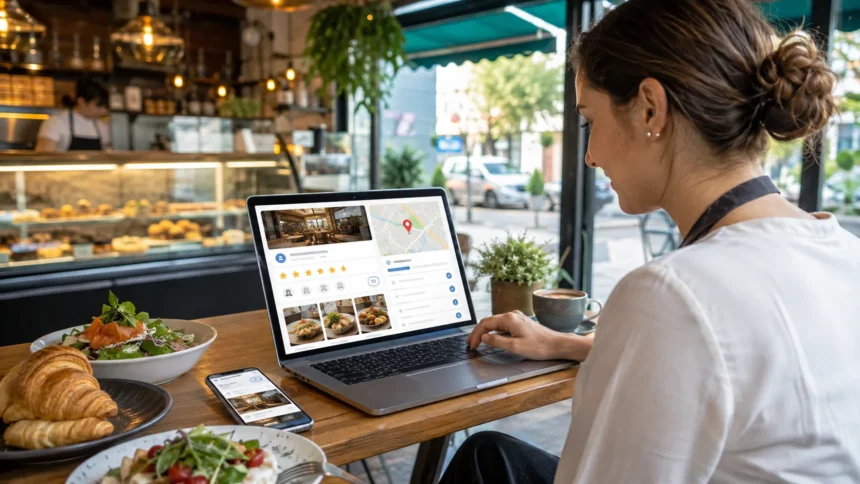
How to Use Google Business Profile for a Food Business
Running a great food business is not enough if nearby customers cannot find it. People regularly turn to Google Search and Google Maps when deciding where to eat, what to order, or which bakery, café, takeaway, or restaurant to visit. Your Google Business Profile can put your food business directly in front of those high-intent customers.
A properly optimized profile gives potential customers important information before they ever reach your website. They can see your location, opening hours, food photos, reviews, menu, phone number, directions, ordering options, and other useful details. That visibility can turn a simple local search into a phone call, table visit, pickup order, or delivery.
However, creating a listing and forgetting about it is not enough. Local competitors may have more reviews, fresher photos, better menu information, accurate business categories, and stronger customer engagement. Those details can influence both how attractive your profile looks and how effectively you compete for attention in local search results.
This guide explains how to use Google Business Profile for a food business from initial setup to ongoing optimization. Whether you own a restaurant, café, bakery, food truck, takeaway shop, catering business, or another eligible local food company, these practical steps can help turn your Google presence into a valuable customer acquisition channel.
What Is Google Business Profile?
Google Business Profile is a free business listing that allows eligible businesses to manage how they appear across Google Search and Google Maps. Instead of customers needing to visit several websites to understand your business, your profile can present important information directly within the Google results they are already using.
For a food business, your profile can become a digital storefront. Someone searching for “pizza near me,” “best bakery nearby,” “coffee shop open now,” or “family restaurant” may discover your business through local results. They can then explore photos, check your menu, read customer reviews, view opening hours, and decide whether to visit.
The profile can also provide several ways for potential customers to take action. Depending on your business type and available features, customers may be able to call your business, request directions, visit your website, view your menu, make a booking, or access pickup and delivery options without conducting another search.
That makes a restaurant Google Business Profile much more than a digital business card. When optimized correctly, it connects local search visibility with real customer actions. For food businesses that depend heavily on nearby customers, maintaining the profile should therefore become part of regular marketing operations rather than a one-time setup task.
Why Google Business Profile Matters for Food Businesses
Food-related decisions are often made quickly. Someone may search for lunch while already driving through an area, look for dinner options shortly before eating, or search for a bakery before attending an event. A complete Google Business Profile helps your business appear during those highly valuable moments of local intent.
Google Maps visibility can be especially important because location plays such a major role in food choices. Customers usually want convenient options with suitable opening hours, good reviews, appealing food, and easy directions. Providing these details clearly reduces uncertainty and makes choosing your restaurant, café, or takeaway easier.
Your profile can also influence first impressions before customers ever reach your premises. Professional food photography, accurate menu prices, thoughtful review responses, clear service options, and up-to-date business hours make a profile feel actively managed. An incomplete listing can create the opposite impression, even when the food itself is excellent.
A strong local SEO strategy for restaurants therefore involves more than optimizing a website. Your Google listing, website, online reviews, business information, location signals, menu content, and customer experience should work together. When these elements consistently communicate what your food business offers, customers have more reasons to choose you.
Set Up, Claim, and Verify Your Food Business Profile
Start by checking whether your business already appears on Google Maps. Customers, data providers, or Google may already have created a listing containing your business name or location. If one exists, claim it rather than immediately creating another profile, because duplicate listings can create confusion and management problems.
If no profile exists, create one using the real-world name customers see on your storefront, menus, receipts, website, and branding. Avoid adding unnecessary keywords such as “Best Pizza Restaurant in Chicago” to your business name unless those words are genuinely part of the official business name used in the real world.
Next, enter your correct location or service information according to how your food business operates. Restaurants, cafés, bakeries, and takeaway shops serving customers at a physical location normally use that storefront address. Businesses operating under different models should follow the applicable Google eligibility and location requirements instead of creating artificial locations.
Google may then require verification to confirm that you genuinely operate or represent the business. Available verification methods can vary by profile and may include video, phone, email, live video, or other options presented by Google. Follow the method displayed in your profile and make sure your business information, signage, and ownership evidence are accurate.
Complete Every Important Business Detail
Once your food business is verified, review every major profile field instead of stopping after entering your name and address. Add your phone number, website, opening hours, description, categories, menu information, service options, and other available attributes. Complete information helps customers understand your business without unnecessary searching.
Pay particular attention to NAP consistency, meaning your business name, address, and phone number. These details should remain accurate wherever customers encounter your business online. Major discrepancies between your website, Google profile, social pages, directories, and ordering platforms can confuse customers and create unnecessary friction.
Opening hours deserve special attention in the food industry. Hungry customers may make decisions based almost entirely on whether Google says you are open. Update your regular hours whenever operations change and add special hours for holidays, events, temporary schedule changes, or other occasions when your usual opening times do not apply.
You should also review your website link and phone number regularly. A broken website link, unanswered old number, or outdated opening time can cost a food business real customers. Treat your profile information like the signage outside your restaurant: if something important changes operationally, updating Google should be part of the same process.
Choose the Right Business Category and Attributes
Your primary category helps Google and potential customers understand what kind of business you operate. Choose the category that most accurately represents your main offering, whether that is a restaurant, café, bakery, pizza restaurant, coffee shop, dessert shop, caterer, or another appropriate food-related category available for your profile.
Avoid choosing unrelated categories simply because you want visibility for additional searches. Categories should describe what the business actually is rather than every individual product it sells. A bakery selling coffee, for example, should not automatically select every possible category associated with food and beverages if those categories do not accurately represent the operation.
Secondary categories can provide additional context when they genuinely apply. A restaurant may specialize in a particular cuisine, while another food business might reasonably operate across several closely connected services. Select categories based on the customer experience and business model rather than trying to force additional keywords into the listing.
Review the available Google Business Profile attributes as well. Depending on your category and region, these can communicate useful details about service options, accessibility, amenities, dining choices, payment methods, or other characteristics. Accurate attributes answer common customer questions quickly and can make your listing more useful during comparison searches.
Create a Menu That Helps Customers Decide
Your menu is one of the most valuable elements of a food business profile because customers often want to know exactly what you sell before choosing where to eat. Whenever menu editing is available, organize items into logical sections and provide clear names, useful descriptions, and current pricing information.
Think about how a first-time customer evaluates food. “Chicken Burger” provides basic information, but a short description explaining the ingredients, preparation style, sauce, or key characteristics can make the item more appealing. Keep descriptions accurate and easy to scan rather than filling them with repetitive promotional language or unnecessary keywords.
Google can also support menu links and menu uploads for food and drink businesses. Make sure any linked restaurant menu on your website is mobile-friendly, loads quickly, displays current prices, and does not force customers through unnecessary steps. A menu that is difficult to read on a smartphone can quickly send customers back to competing listings.
Menu accuracy should become part of your regular Google Business Profile optimization process. Update discontinued dishes, price changes, seasonal items, new meal combinations, or other meaningful changes when necessary. Customers become frustrated when the information they find online differs significantly from what is available when they arrive or place an order.
Use High-Quality Food Photos to Make Your Profile Stand Out
Food is highly visual, which makes photography especially important for restaurants and other food businesses. Potential customers often scroll through images before reading detailed descriptions. Attractive, realistic photographs can quickly communicate portion size, presentation, atmosphere, cleanliness, menu variety, and the overall experience customers can expect.
Upload a balanced selection rather than dozens of nearly identical dish photographs. Include signature dishes, bestsellers, drinks, desserts, interior seating, exterior signage, counter areas, kitchen moments when appropriate, and other images that represent the real customer experience. Exterior photographs can also make the location easier for first-time visitors to recognize.
Keep your images current. A restaurant that redesigned its interior three years ago should not rely heavily on outdated photographs showing the previous layout. Similarly, if your plating, packaging, menu, branding, or storefront changes, gradually update the profile so that customers encounter an accurate visual representation of the business.
Avoid overly edited images that make food look completely different from what customers actually receive. Professional presentation matters, but credibility matters too. A consistent flow of genuine, high-quality restaurant photos on Google can make the profile feel active while giving customers the confidence they need to visit or place an order.
Build a Strong Google Review Strategy
Reviews can have a major influence on restaurant decisions because customers naturally want reassurance before trying somewhere unfamiliar. A large number of thoughtful, recent reviews can help potential customers understand your food quality, service, environment, value, delivery experience, and consistency through the experiences of previous customers.
Make asking for reviews part of your normal customer journey without pressuring people. Google provides review links and QR codes that businesses can share with customers. You might place your QR code on receipts, takeaway packaging, table cards, thank-you messages, or another appropriate touchpoint where satisfied customers can easily provide feedback.
Never offer rewards specifically in exchange for positive reviews or attempt to manipulate customer feedback. The goal should be to generate authentic reviews from genuine customers. A natural mix of experiences is more credible than a profile that suddenly receives a suspicious wave of repetitive five-star comments with nearly identical language.
Respond to both positive and negative feedback professionally. Thank happy customers without using the exact same response every time, and address reasonable complaints calmly. Prospective diners often read owner responses alongside reviews, so your replies become another opportunity to demonstrate that the business listens, communicates well, and takes customer experience seriously.
Turn Negative Reviews Into Opportunities
No food business can guarantee that every customer will be satisfied every time. Orders can be delayed, staff can make mistakes, dishes may not meet someone’s expectations, and misunderstandings can occur. A negative review therefore does not automatically mean your Google reputation has been ruined, especially when handled thoughtfully.
Avoid replying emotionally, even when you disagree with the customer’s version of events. Public arguments rarely make a restaurant look better. Acknowledge the concern, explain relevant context without exposing private information, and invite the customer to contact the business directly when further investigation or resolution is appropriate.
Look for repeated themes rather than treating every review as an isolated SEO problem. If several customers mention slow takeaway orders, incorrect opening hours, cold delivery food, confusing pricing, or another recurring issue, your reviews are providing valuable operational feedback. Fixing the underlying problem can improve both customer satisfaction and future reviews.
You should also monitor your profile for content that appears to violate Google’s policies. Legitimate criticism should generally be handled professionally rather than reported simply because it is negative. However, clearly inappropriate or policy-violating content can be reported through the available Google Business Profile review management options.
Use Google Posts to Keep Your Profile Fresh
Google Business Profile posts can help you communicate timely updates directly through your listing. For food businesses, posts can highlight seasonal menus, new products, special offers, events, holiday announcements, limited-time dishes, reopening information, or other updates that might encourage potential customers to take action.
Think of posts as small promotional opportunities rather than traditional long-form social media updates. Lead with information that matters immediately to someone deciding where to eat. Instead of writing a lengthy company story, highlight the new brunch menu, weekend special, upcoming tasting event, seasonal dessert, or another timely reason to visit.
Use strong, relevant photography whenever possible. A post introducing a new meal works better when customers can immediately see the actual dish. Keep images aligned with the message and make sure the offer, availability period, conditions, or other important details are easy for customers to understand before visiting.
Consistency is more useful than publishing several posts and then abandoning the profile for months. Build Google updates into your broader restaurant marketing strategy alongside social media, email campaigns, menu launches, and seasonal promotions. That creates multiple opportunities for customers to discover what is currently happening at your business.
Add Online Ordering, Pickup, and Delivery Options
Convenience can determine which restaurant wins an order. Customers searching from their phones may not want to browse several pages before figuring out how to buy food. When applicable, configure the available food-ordering, pickup, delivery, booking, or related transaction links correctly within your Google Business Profile.
Check where each link sends customers before publishing it. If someone taps an order button expecting to buy immediately but lands on a generic homepage with no clear ordering path, you have introduced unnecessary friction. Direct links should take customers as close as possible to the relevant action they intended to complete.
If Google displays ordering links from multiple providers, review the options associated with your listing. Make sure customers can identify the preferred way to order where the available settings allow you to manage that experience. Also check that menu prices, service areas, pickup details, and operational information remain consistent across platforms.
The same principle applies to restaurant reservations. When booking functionality is available and relevant to your business, create a straightforward journey from discovery to reservation. Every unnecessary click between “I want this food” and “order confirmed” or between “I like this restaurant” and “table booked” creates another opportunity for the customer to leave.
Improve Your Visibility in Local Google Searches
Local SEO does not work through a single secret trick. Google explains local results largely through relevance, distance, and prominence, so your goal should be to accurately communicate what your food business offers while building a strong, trustworthy local presence. Complete business information is an important starting point.
Relevance involves how closely your business matches what someone appears to be searching for. Appropriate business categories, an informative website, accurate menu information, useful descriptions, and genuine customer reviews all help establish the context around your business without resorting to unnatural keyword stuffing.
Distance depends heavily on the relationship between the searcher and relevant businesses, which means there is no legitimate optimization technique that can make a restaurant physically closer to every customer. Avoid fake locations, virtual offices, or other attempts to manipulate geography. Concentrate on competing effectively within the areas your real business can serve.
Prominence relates more broadly to how established or well known a business appears. Build a strong website, earn genuine customer reviews, maintain accurate citations, attract legitimate local mentions, and provide experiences people want to talk about. Sustainable local SEO for food businesses usually comes from combining strong marketing with strong operations.
Optimize Your Food Business Website Alongside Google Maps
Your Google Business Profile should not operate separately from your website. Link your profile to the most relevant website destination, and make sure visitors immediately understand what food you offer, where you are located, when you are open, and how they can order, book, call, or visit.
Create useful location information on your website using the same accurate business details customers see on Google. Restaurants with several legitimate locations should generally give each location enough useful information to help customers understand that branch rather than creating dozens of near-identical pages designed only to target city keywords.
Your website content can also target relevant searches that cannot be explained fully within a Google listing. Pages about menus, catering, private dining, reservations, delivery areas, dietary options, signature products, or location-specific services can help customers research the business while strengthening your overall online presence.
Mobile usability is especially important because many local food searches happen on smartphones. Menus should be readable without excessive zooming, buttons should be easy to tap, pages should load efficiently, and phone numbers or ordering options should be obvious. Local visibility brings little value if the next step frustrates potential customers.
Track Google Business Profile Performance
Optimization becomes much more useful when you measure what customers actually do. Google Business Profile performance information can show how people discover and interact with your listing through Search and Maps. Available metrics can help you understand whether visibility is translating into meaningful customer actions.
Pay attention to the actions most closely related to revenue rather than focusing on impressions alone. Website clicks, calls, directions, menu interactions, bookings, ordering activity, and other available engagement metrics can provide more useful context about whether potential customers are moving closer to visiting or purchasing.
Compare performance over meaningful periods. If direction requests increase after adding new restaurant photography, or menu interactions rise after improving your menu presentation, those changes may provide clues about what customers value. Avoid assuming a single change caused every performance movement, since demand, competition, seasonality, and other factors can also influence results.
You can also use tracking parameters on appropriate website links to improve your analytics. This can make it easier to distinguish visitors arriving through your Google Business Profile from other traffic sources. Over time, combining Google Maps SEO data, website analytics, orders, reservations, and actual revenue gives you a clearer picture of marketing performance.
Common Google Business Profile Mistakes Food Businesses Should Avoid
One common mistake is treating the profile as a task that only needs to be completed once. Restaurants change hours, menus, prices, staff, interiors, ordering systems, and promotions regularly. When Google contains outdated information, customers may blame the business rather than the search platform for the inconvenience.
Another mistake is keyword stuffing the business name, description, posts, or other fields. Repeating phrases like “best restaurant near me” does not create a better customer experience and can make the profile look unprofessional. Use natural descriptions that explain what makes your business useful, distinctive, or relevant.
Poor review management can also damage trust. Ignoring every review makes the profile feel disconnected, while aggressively arguing with unhappy customers can discourage potential diners. Establish a simple process for checking reviews, responding professionally, escalating genuine service complaints internally, and learning from recurring customer feedback.
Finally, do not rely entirely on Google Business Profile while neglecting your website and broader brand presence. Platforms and features can evolve, but your website remains an important owned digital asset. The strongest strategy connects Google Search, Maps, your website, reviews, social channels, local mentions, and customer retention efforts.
A Simple Weekly Google Business Profile Routine
Start each week by confirming that your basic operational information is still correct. Check your opening hours, special schedules, phone number, website, menu links, ordering options, and any temporary changes. This takes relatively little time but can prevent customers from encountering frustrating or inaccurate information.
Next, check new reviews and customer activity. Reply thoughtfully where appropriate, identify recurring concerns, and share useful feedback with your restaurant team. Review management should not belong exclusively to marketing because complaints about delivery, service, food preparation, cleanliness, or wait times often require operational improvements.
Then consider adding something current to the profile. This might be a photograph of a newly launched dish, a seasonal offer, an event announcement, or another genuine update. You do not need to create content merely to appear active; prioritize information that helps potential customers make a decision.
Finally, review your performance periodically rather than obsessing over daily fluctuations. Look for broader patterns in calls, directions, website visits, menu interactions, bookings, orders, reviews, and other business outcomes. The objective is not simply to make your Google profile look impressive—it is to help more suitable local customers discover and choose your food business.
Final Thoughts: Make Google Business Profile Part of Your Food Marketing Strategy
Learning how to use Google Business Profile for a food business is ultimately about removing friction between discovery and purchase. Customers want quick answers: What do you serve? Where are you? Are you open? What does the food look like? What do other customers think? How can I order or visit?
A complete, attractive, accurate profile answers those questions before customers need to look elsewhere. Strong photographs create desire, reviews build trust, menu information supports decisions, ordering links simplify conversions, and correct opening hours prevent frustration. Every profile element contributes to the overall customer journey.
The businesses that get the most value from Google Business Profile usually treat it as an active marketing channel rather than an online directory listing. Regularly update important information, monitor customer feedback, upload useful visuals, promote meaningful changes, and measure the actions that matter to your business.
Most importantly, remember that local SEO cannot compensate permanently for a poor customer experience. Google can help people discover your restaurant, café, bakery, takeaway, or food business, but your food and service determine what happens afterward. Combine strong local visibility with an experience customers genuinely want to recommend.
Frequently Asked Questions
Is Google Business Profile free for restaurants?
Yes. Eligible restaurants and other local food businesses can create and manage a Google Business Profile without paying a listing fee. It can help customers discover your business through Google Search and Maps.
How do I get my food business higher on Google Maps?
Keep your profile complete and accurate, choose appropriate categories, maintain your website, earn genuine reviews, add useful photos, and strengthen your local presence. Local results are influenced by factors including relevance, distance, and prominence.
Should I add my entire restaurant menu to Google?
If menu management is available for your profile, providing accurate menu sections, items, descriptions, and prices can make the listing much more useful. Also keep your website menu and Google information consistent.
How often should a restaurant update its Google Business Profile?
Review important business information whenever something changes and perform a basic profile check regularly. Hours, menu information, photographs, ordering links, promotions, and customer reviews deserve ongoing attention.
Do Google reviews help a food business attract customers?
Reviews can strongly influence how potential diners perceive a restaurant because they provide real customer experiences about food, service, atmosphere, and value. Encourage genuine reviews and respond professionally to customer feedback.